Importing your own training data
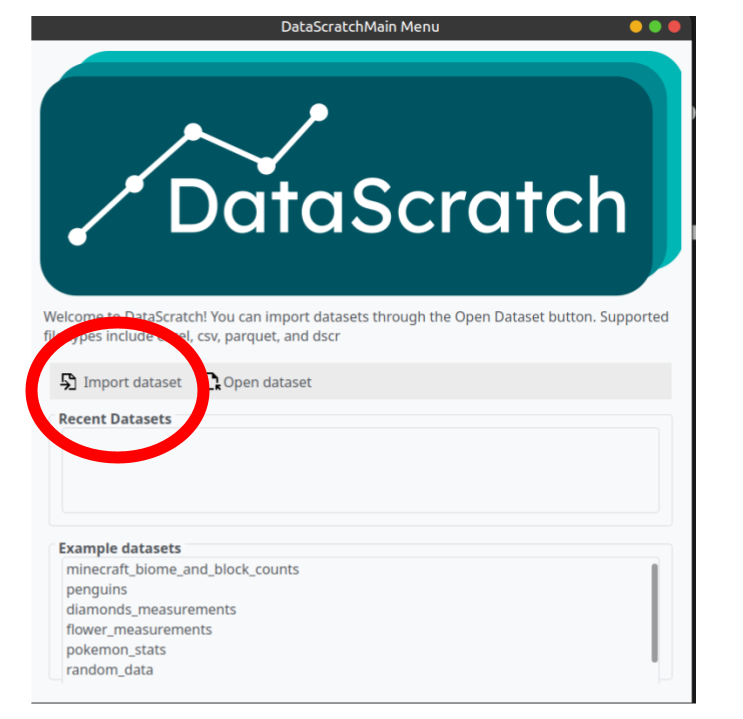
To import your own training data, start by clicking on the “import dataset” button from the main menu. Supported file types are excel, csv, parquet.
These datasets are formatted automatically. There are several things to note.
- Upon training, any row with NaN(Not a number) is dropped automatically.
- Categorical data should be stored as strings.
- Example: time_of_day → “day” , “night” , “morning”
- Columns should only include values of the same type.
- Example: apple_price → 1.3 , 1.6 , 1.9
- Each Column should have a column name, which is the first row.
Importing data for model Predictions
The DataScratch models allow for you to input your own predications. This can be accessed after training one or more pipelines. This is accessed from the predications tab.

Single Value Predictions
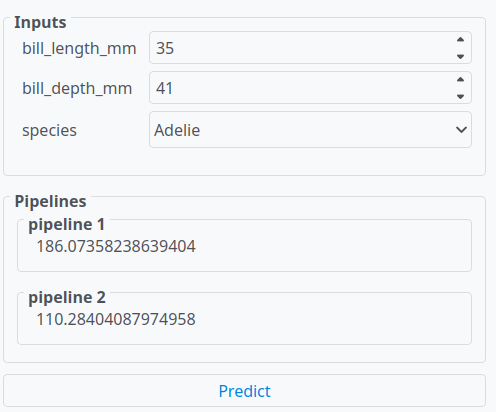
 You can do single value predictions. Enter in the values for each predication, and then click predict to see the results.
Multiple Predictions
You can import your own dataset to have the models run predictions on. This dataset must be in .csv .xlsx or .parquet format.
- Train a model
- Select multiple values tab

- Upload a dateset.
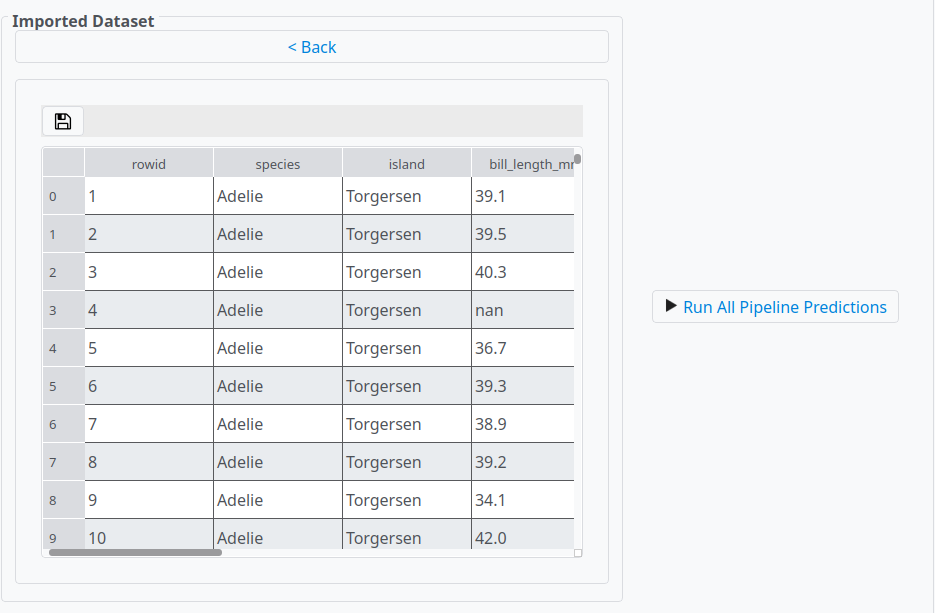
- Click run
The dataset with the predictions will appear on the right. This dateset contains each input value, and each predication from each pipeline plus the name of the output column.